Even a carefully planned corporate event can be disrupted by practical oversights. What can go wrong at a corporate event includes Wi-Fi or AV...
Even a carefully planned corporate event can be disrupted by practical oversights. What can go wrong at a corporate event includes Wi-Fi or AV failures, presentations that do not display properly and unexpected costs that strain the budget. Test the technology in advance, keep support available during the event and reserve funds for unplanned expenses to limit disruption.
It is easy to focus on the venue, programme and hospitality, but behind-the-scenes details matter just as much to a smooth, memorable gathering. This article explains how to prepare for technology problems, manage budget surprises and test Wi-Fi, AV equipment and presentation formats before guests arrive. It also covers contingency planning, so you can respond calmly if something goes wrong and keep attention on your guests and the event’s purpose.
Key Takeaways
- Keep technology support available during the event and prepare a backup plan so a fault doesn’t derail the programme.
- Organise the budget by category and set aside an emergency fund for unexpected costs.
- Test Wi-Fi, AV equipment and presentation formats before guests arrive to catch problems early.
- Assess event risks in advance and prepare contingency plans to help manage disruption calmly.
1. Event technology preparedness and backup plans
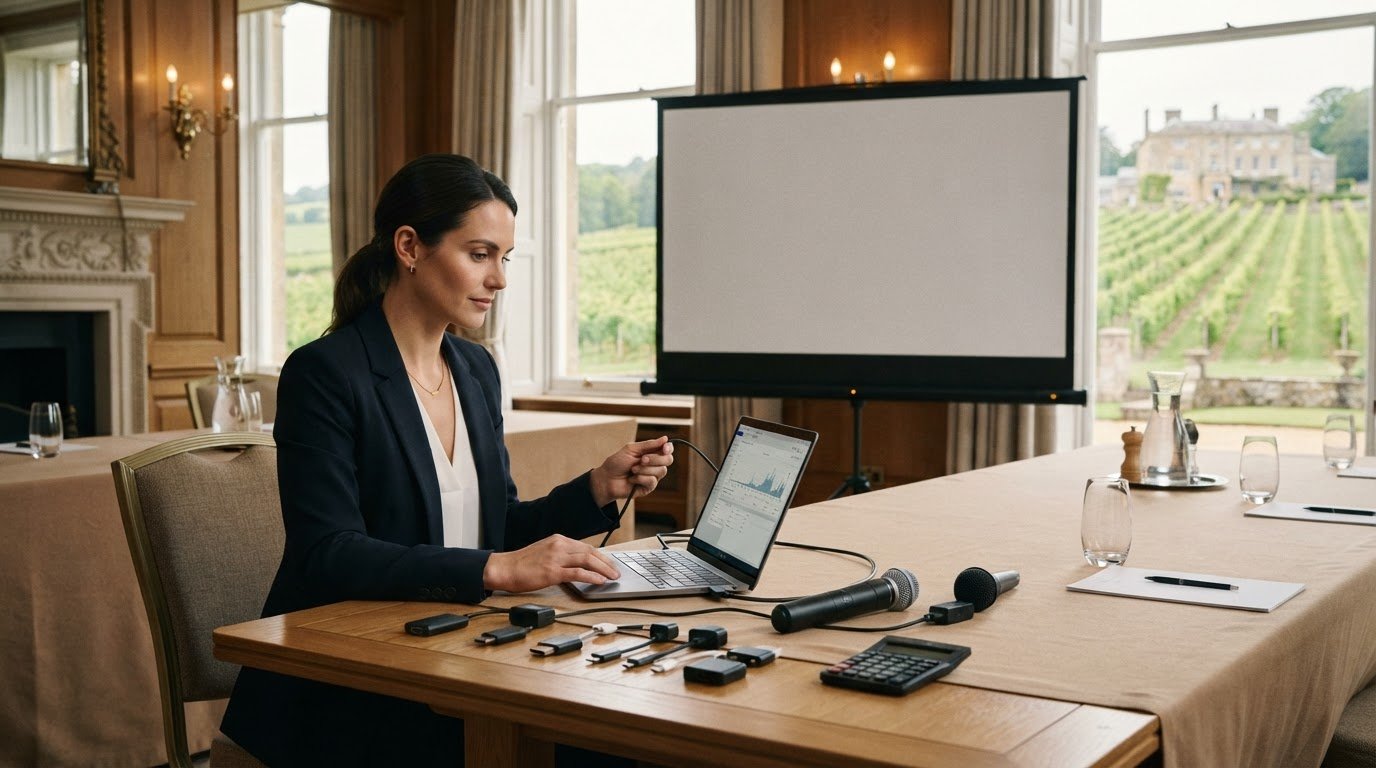
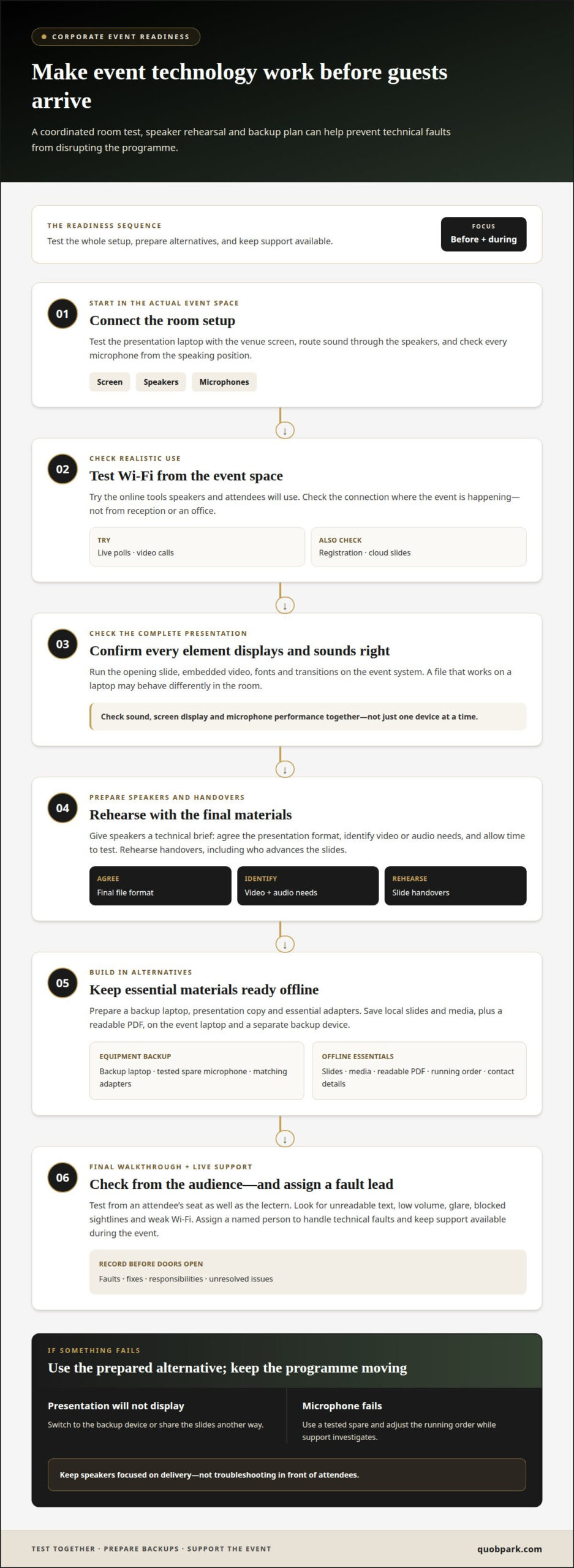
A dependable event depends on technology working when guests need it. Before the doors open, test the presentation, microphones, screens and Wi-Fi in the actual room. Assign a named person to handle technical faults throughout the event. Keep a backup laptop, presentation copy and essential adapters ready.
Prepare a simple response plan for common failures. If a presentation will not display, switch to the backup device or share the slides another way. If a microphone fails, use a tested spare and adjust the running order while support investigates. Keep technical support available during the event, so speakers are not left troubleshooting in front of attendees.
For UK events, risk assessments should identify potential hazards, and organisers should prepare contingency plans. Include crowd movement, access routes and the venue’s emergency arrangements in your planning. Venue, catering and accessibility problems can also disrupt proceedings: the room may not suit the planned layout, food may not meet guests’ needs, or an inaccessible route may prevent someone from joining. Confirm the arrangements with the venue team in advance.
Unclear invitations, irrelevant content or a poorly managed disruption can lead to low attendance, weak engagement or reputational damage. Define the event’s purpose and audience, then shape the programme around their interests. If a speaker cancels, use a prepared replacement, host a discussion or adjust the agenda. If the schedule runs late, tell attendees about changes and protect essential sessions.
In a medical emergency, fire alarm or evacuation, alert the designated event lead and follow the venue’s emergency procedures. Keep exits clear and guide attendees calmly; contact emergency services when required. To protect attendee information, collect only the details needed for the event, restrict access to the registration list and avoid displaying personal data on shared screens. Delete or securely store records according to your organisation’s data-handling process.
2. Managing event budgets and unexpected costs
A clear budget makes financial pressure easier to spot before you commit. Divide the working budget into venue, catering, technology, entertainment and branding. Assign an owner to each category, then record its estimate, agreed spend and payment deadlines. This makes a change, such as adding a microphone or extending room hire, visible against the relevant allowance. Keep an emergency fund for unplanned expenses instead of allocating every pound to planned items.
Build estimates from written quotes, not assumptions. Obtain multiple quotes for comparable services, then compare what each includes, such as delivery, setup, staffing or equipment. A lower headline price may exclude essential items. Record inclusions and exclusions beside each quote, and negotiate where appropriate. Before approval, check the cancellation terms, payment schedule and process for authorising extra work. Keep the latest budget accessible to those approving spending.
Insurance needs depend on the event’s activities, venue terms and who is responsible for each risk. Organisers can assess whether public liability, cancellation, equipment or employer’s liability cover suits their circumstances; these are considerations, not a universal checklist. Insurance costs depend on factors such as event type, duration, attendance, activities, cover limits and excess. Compare policy wording with the specific risks rather than choosing on price alone.
Review the budget whenever the plan changes. For example, a revised guest count can affect catering, room layout and staffing at the same time. Ask the budget owner to record the change, its cost category and approval before confirming it. Track committed spending separately from estimates, and revisit both after each supplier agreement. This gives organisers a clearer view of remaining funds and helps prevent small additions from creating a larger shortfall. Final reconciliation against invoices also shows which assumptions were accurate and where future estimates need refining.
Keeping budget categories distinct supports clearer comparisons. Multiple supplier quotes also help planners assess options and negotiate where appropriate before making commitments.
3. Testing Wi-Fi, AV equipment and presentations
Test the full room setup before guests arrive, rather than checking each device in isolation. Connect the presentation laptop to the venue screen, route sound through the speakers and check every microphone from the speaking position. Confirm that the opening slide, embedded video, fonts and transitions display as intended. A file that works on a laptop may behave differently on the event system.
Test Wi-Fi under realistic conditions, too. Try the tools attendees and speakers will use, such as a live poll, video call, registration platform or cloud presentation. Check the connection from the event space, not reception or an office. If the programme relies on online access, prepare offline copies of slides and media. Decide who will contact venue technical support and who can adjust the programme.
Give speakers a simple technical brief before rehearsal. Ask them to bring the final presentation in the agreed format, identify any video or audio requirements and arrive with time to test their material. Keep adapters that match the planned devices and label the cables. Assign someone to manage sound, display and transitions so speakers can focus on delivery. Rehearse handovers, including who advances the slides.
During the final walkthrough, test from an attendee’s seat as well as from the lectern. Look for unreadable text, low volume, glare, blocked sightlines and weak Wi-Fi. Save a local copy of each presentation, plus a readable PDF, on the event laptop and a separate backup device. Keep the running order and essential contact details available offline. Record faults, fixes, responsibilities and any unresolved issues.
Corporate event planners should test Wi-Fi, AV equipment and presentation formats before the event begins. Treat this as one coordinated readiness check: confirm the planned setup works together, then resolve problems before attendees arrive. A brief final review helps ensure the technology supports the programme and presentations are ready to use.
4. What health and safety risks should event organisers assess in the UK?
Start the risk assessment with the venue layout and event programme. Walk the guest route from arrival to seating, catering and departure. Note narrow passages, loose cables, wet floors and areas where queues could form. Check how stage arrangements, furniture or equipment might affect movement. Record each hazard, who could be affected and the practical steps to reduce the risk.
Consider crowd flow at busy moments, such as registration, a meal break or a room change. Mark entrances, exits and accessible routes on the floor plan. Check that signage is visible and that temporary displays don’t obstruct walkways. If guests move between indoor and outdoor spaces, assess the route and likely conditions. Assign a named person to monitor each area.
Prepare for incidents as well as routine hazards. Identify who leads the response, how staff communicate and where attendees should go if the programme stops. Confirm the venue’s emergency arrangements with its team, including how alarms and evacuation instructions will reach guests. Keep routes clear during setup and throughout the event. Brief staff on their roles before the doors open.
Event organisers should anticipate possible problems, prepare contingency plans and identify risks in their assessments. Make each control specific: for example, assign someone to manage a queue, secure a cable crossing or guide guests towards an alternative route. Record who owns each action and when it must be completed. Review the assessment after changes to the layout, attendance plan or schedule.
Use a final walkthrough to compare the assessment with the actual room. Check that equipment has not shifted, exits remain unobstructed and staff know the escalation process. After the event, note incidents and near misses, then update plans for future gatherings. A clear record turns an overlooked detail, such as a crowded entrance, into a practical improvement for the next event.
Quob Park Estate, Hotel & Spa: Quob Park Classic Cuvée
Quob Park Estate, Hotel & Spa offers a refined hospitality setting for corporate gatherings where thoughtful hosting matters. Once the practical plans are in place, Quob Park Classic Cuvée, Quob Park Heritage Rosé Cuvée and Quob Park Blanc de Blancs can complement a reception or shared occasion. For a more immersive experience, a Vineyard Tour & Tasting gives guests the opportunity to enjoy the estate’s wine in its vineyard setting.
These offerings suit organisers creating a considered guest experience alongside careful planning for technology, budgets and safety. The right choice depends on the character of the gathering and the atmosphere you want to create. For an event centred on wine and conversation, a tasting can provide a natural focal point; for a reception, a cuvée can be a fitting detail.
Contact Quob Park Estate, Hotel & Spa to discuss an event experience.
Shape the experience you want guests to remember
Planning for what can go wrong at a corporate event is only part of creating a successful gathering. Next, decide what you want people to take away: a clearer understanding of your organisation, a stronger connection with colleagues or the pleasure of sharing a distinctive occasion. Let that intention guide the details, from the pace of the programme to the tone of the hospitality.
For an elegant, wine-led touch, Quob Park Estate, Hotel & Spa offers a setting for thoughtful hospitality. Its English sparkling wines can complement a reception or shared celebration, while a Vineyard Tour & Tasting offers another way to bring guests together. Choose the experience that suits your gathering, then give the planning the same care as the occasion itself.
CONTACT QUOB PARK ESTATE, HOTEL & SPA to explore a considered next step for your event. With a clear purpose and thoughtful preparation, you can create a gathering that feels composed, welcoming and memorable.
Frequently Asked Questions
What are the most common problems at corporate events?
Common examples of WHAT CAN GO WRONG AT A CORPORATE EVENT include supplier delays, low attendance, unsuitable food, unclear timings, equipment faults and unexpected spending. These issues can affect several arrangements at once: a room change, for instance, may disrupt access and catering as well as the programme. Review the guest journey from invitation to departure, and identify where a disruption could have wider effects.
How can technical failures affect presentations and event schedules?
A failed video or microphone can interrupt a speaker and leave an awkward gap before the next session. The delay may then shorten a discussion or disrupt a planned meal break. Give the host a short bridging script and agree which parts of the schedule can move. This helps maintain a composed atmosphere while the technical team resolves the fault.
What contingency plans and checklist help prevent corporate event problems?
To reduce WHAT CAN GO WRONG AT A CORPORATE EVENT, create a concise checklist with a named decision-maker, supplier contact details, an alternative running order and a way to notify attendees. Add decision triggers, such as when to move a session or pause entry, and record who can authorise each change. After the event, log incidents and follow-up actions for future planning teams.